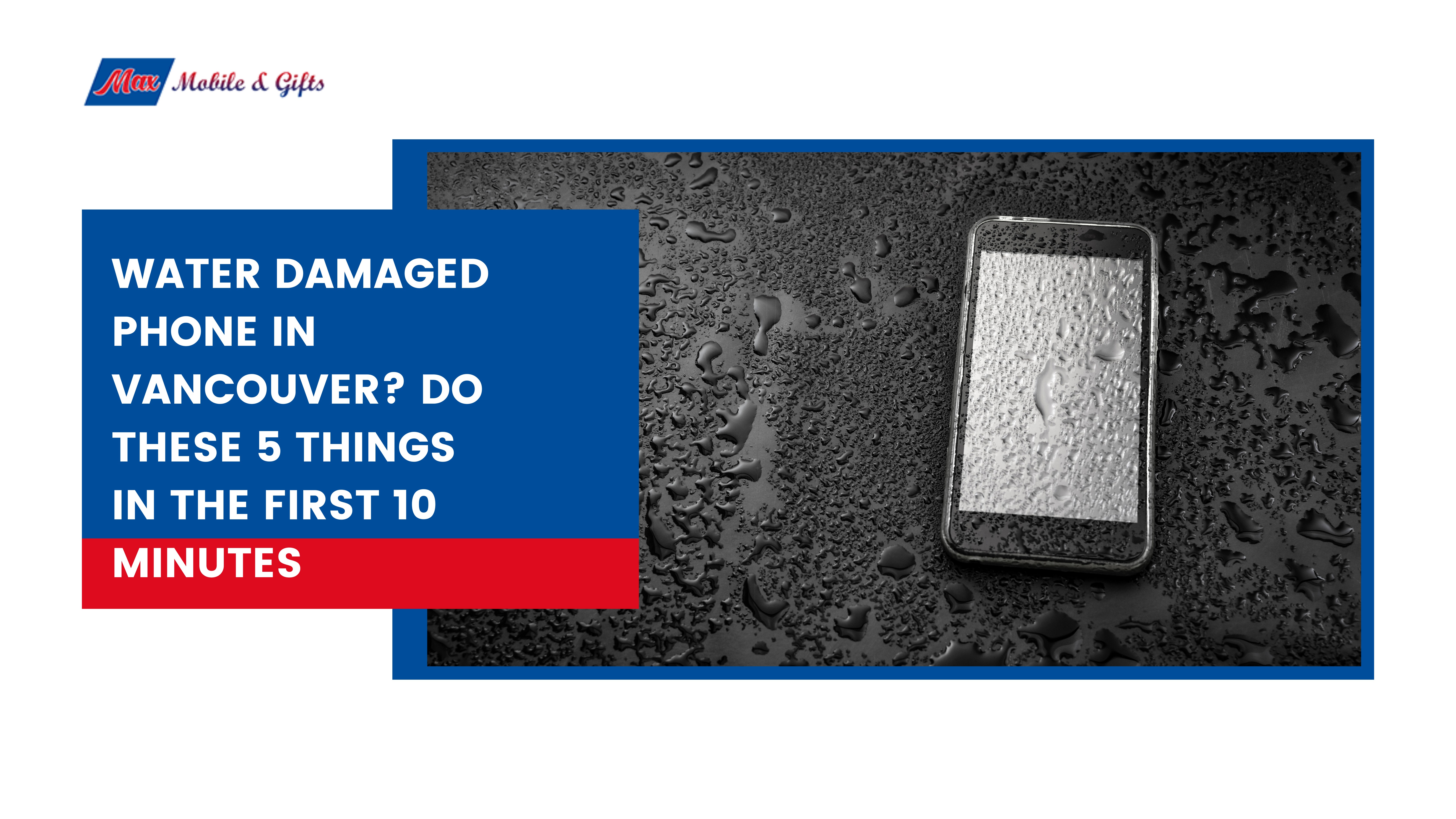
Water Damaged Phone in Vancouver? Do These 5 Things in the First 10 Minutes
It takes less than a second. One moment your phone is in your hand, and the next it is at the bottom of the sink, submerged in a puddle, or sitting in a pool of spilled coffee. If you have ever dropped your phone in water in Vancouver, you know exactly what that sinking feeling is like.
Here is the good news: most water damaged phones can be saved. Professional water damage repair in Vancouver successfully recovers a large percentage of liquid-damaged devices, and the ones that make it through almost always share one thing in common. The owner acted fast and acted correctly in the first 10 minutes.
Vancouver’s wet climate makes water damage one of the most common phone repair issues in the city. Heavy rain, high humidity, and condensation from moving between cold outdoor air and warm indoor spaces all create conditions where moisture finds its way into devices more often than in drier Canadian cities. Knowing exactly what to do before you reach a repair shop can be the difference between a fully recovered phone and a permanent loss.
Here are the 5 things you need to do right now.
Thing 1: Get It Out of the Water and Power It Off Immediately
The very first thing to do when your phone drops in water is to get it out as fast as physically possible. Every additional second of submersion allows more water to penetrate deeper into the device through ports, buttons, seams, and speaker grilles.
The moment it is out of the water, power it off completely. Do not unlock it to check notifications. Do not open apps to see if it still works. Do not take a photo to document the damage. Turn it off and keep it off.
The reason this matters so much comes down to basic physics. Water and electricity create short circuits. While your phone is powered on, electricity is flowing through components that are now wet. Every second the power stays on while water is inside increases the risk of permanent short circuit damage to the logic board, the battery, and the charging circuit. Powering off immediately stops the electrical current and gives the internal components the best possible chance of surviving.
If the phone has already powered itself off, do not try to turn it back on. That is your phone protecting itself. Leave it off.
As soon as it is powered down, remove the SIM card tray and eject it fully. Remove any phone case, wallet attachment, or accessory. The more airflow you can create around the device, the better.
Thing 2: Dry the Outside Gently – the Right Way
Once the phone is off, use a soft dry cloth or paper towel to gently pat the exterior dry. Work carefully around all the edges, ports, buttons, and seams where water collects.
Tilt the phone at different angles to encourage water to drain naturally out of the ports. Hold it with the charging port facing downward for a minute to let gravity help. Use a clean dry cotton swab to gently absorb any visible moisture from inside the charging port, headphone jack, or SIM tray slot.
Leave the SIM card tray slot open to maximise airflow into the internal cavity.
There are several things you should absolutely not do during this step:
- Do not use a hair dryer on your phone. Heat pushes water deeper into the device and can warp internal components and melt adhesive seals. Even the cool setting on a hair dryer can cause more harm than good.
- Do not use compressed air. Pressurised air forces water further into components that it has not yet reached and can cause water to enter areas that were previously dry.
- Do not shake or aggressively tap the phone. This spreads moisture to areas inside the device that may still be dry.
The goal at this stage is to remove surface moisture as gently as possible without introducing any new risks.
Thing 3: Skip the Rice Bag – It Does Not Work
If the first thing you thought of when your phone got wet was to put it in a bag of rice, you are not alone. This is one of the most widely shared pieces of advice on the internet, and it is also one of the most misleading ones when it comes to phone water damage.
Rice does not effectively draw moisture from inside an electronic device. The rice absorbs ambient humidity in the air around the phone, but the moisture that has already entered the internal components is completely unaffected. Studies on this method have shown it performs no better than simply leaving the phone in open air.
Beyond being ineffective, rice introduces its own problems. Starch particles and dust from rice grains can enter the charging port and other openings, clogging components and making professional cleaning and water damage repair more difficult.
What actually works far better than rice is silica gel. Those small packets labelled “Do Not Eat” that come inside shoe boxes, bags, and electronics packaging are made of silica gel, which actively absorbs moisture at a much higher rate than rice. If you have a supply of these at home, placing your powered-off phone in a sealed bag with several silica gel packets is a genuinely useful step while you arrange to get to a repair shop.
If you do not have silica gel available, simply place the phone in a dry indoor area with reasonable airflow, away from direct sunlight, heat sources, and humidity. A dry room at room temperature is a perfectly acceptable holding environment while you make your way to a professional.
The most important point about this step is what comes after it. Leaving a water damaged phone sitting in rice or silica gel for 24 to 48 hours while hoping for the best is not a repair strategy. It is a waiting game, and every hour that passes without professional treatment increases the risk of corrosion spreading across internal components. Getting to a professional water damage repair shop in Vancouver as quickly as possible is always the right move.
Thing 4: Back Up Your Data If the Phone Is Still Responding
If your phone is still powered on and the screen is responding after the initial water exposure, take 5 minutes to back up your data before you power it down. This step can save you from losing photos, contacts, messages, and app data that may be impossible to recover later.
For iPhone users: open Settings, tap your name at the top, select iCloud, then iCloud Backup, and tap Back Up Now. Make sure you are connected to Wi-Fi and leave the phone connected to power only if it is fully dry externally. If you are not certain whether the charging port is dry, do not plug it in.
For Samsung and Android users: go to Settings, find Accounts and Backup, and select Back Up Data. Alternatively, connect to a computer via a cable only if the port appears completely dry and transfer photos and files manually.
Water damage can cause sudden and total data loss with no warning. A phone that appears fully functional right after getting wet can fail completely hours or even days later as internal corrosion progresses. Getting a backup done in the brief window where the phone still works is one of the most valuable things you can do.
If the screen is already unresponsive, do not spend time trying to access the phone. Power it off if it is still on and move straight to step 5. Professional data recovery from water damaged phones is possible in many cases even when the device no longer powers on, and a repair technician has far better tools for this than any workaround you can attempt at home.
Thing 5: Get to a Professional Water Damage Repair Shop in Vancouver as Fast as You Can
This is the most important step of all, and it is the one most people delay too long.
Corrosion begins forming on the internal components of a phone within hours of water exposure. As water evaporates, it leaves behind mineral deposits and ionic residue on circuit boards, connectors, and chips. These deposits conduct electricity in unintended ways, causing components to short, corrode, and fail progressively over time. A phone that survives the initial water exposure can stop working entirely two days later because of corrosion that was left untreated.
Professional water damage treatment involves ultrasonic cleaning, which uses high-frequency sound waves in a specialised cleaning solution to remove corrosion and mineral deposits from internal components at a microscopic level. This process cannot be replicated at home and it is the single most effective treatment for giving a water damaged phone the best chance of full urecovery.
The success rate of professional water damage repair is significantly higher when the phone arrives within 24 hours of the incident compared to phones that arrive days later. If your phone dropped in water in Vancouver today, today is the right day to bring it in.
At Max Mobile & Gifts at International Village Mall, we provide free water damage diagnosis for all phone brands. Bring your phone in, walk-in with no appointment needed, and our technician will inspect the device and tell you honestly what the damage looks like and what your options are. There is no charge for the diagnosis and no obligation to proceed. If we cannot recover the phone, you pay nothing.
Bonus: What NOT to Do After Water Damage
Knowing what to avoid is just as important as knowing what to do. These are the most common mistakes people make after dropping their phone in water, and each one has the potential to turn a recoverable situation into a permanent write-off.
Do not turn it back on to check if it works. The temptation is strong, but powering on a wet phone sends electricity through water-covered components and dramatically increases the risk of a short circuit that cannot be repaired.
Do not charge it. Plugging a water damaged phone into a charger before the internal components are properly dried and cleaned can cause an immediate and irreversible short circuit. This is one of the fastest ways to destroy a phone that might otherwise have been fully recoverable.
Do not use a hair dryer, oven, or microwave. Heat destroys adhesive seals, warps components, and in the case of a microwave, creates serious fire and explosion risks. None of these methods remove water from inside the phone. They only add heat damage on top of the existing water damage.
Do not put it in rice. As covered in step 3, rice does not remove moisture from inside the phone and can introduce particles that complicate professional repair.
Do not press buttons repeatedly. Each button press flexes the phone body slightly and can push water into areas that were previously dry. Keep physical interaction with the phone to an absolute minimum.
Do not wait days before seeing a technician. This is the most damaging mistake of all. Corrosion spreads progressively inside a water damaged phone. The gap between a phone that can be fully recovered and one that cannot often comes down to how quickly it reached professional treatment.
Water Damage Phone Repair at Max Mobile & Gifts in Vancouver
If your phone has been exposed to water in Vancouver, Max Mobile & Gifts at International Village Mall offers free water damage diagnosis with no obligation. Walk in any time Monday to Saturday and our technician will assess the damage and give you a clear picture of what recovery looks like for your specific device.
We handle water damaged iPhone repair in Vancouver and water damage repair for Samsung, Google Pixel, and all major Android brands. Our no fix, no pay guarantee applies to all water damage work. If we cannot recover your phone, you owe nothing.
Walk in today for your free water damage diagnosis
Frequently Asked Questions
Can a water damaged phone be repaired in Vancouver?
Yes. Most water damaged phones can be saved when they reach a technician quickly. Max Mobile & Gifts offers free water damage diagnosis for all brands in Vancouver.
How long does water damage repair take in Vancouver?
Diagnosis is done while you wait. Full water damage treatment typically takes 24 to 48 hours depending on the severity of the damage.
How much does water damaged phone repair cost in Vancouver?
Diagnosis is completely free. Your exact repair cost is confirmed before any work begins. If we cannot fix it, you pay nothing.
My phone got wet but still works, do I still need to bring it in?
Yes. A phone that seems fine after getting wet can fail suddenly days later as internal corrosion spreads. A quick professional inspection now prevents a bigger problem later.
Does iPhone water resistance mean it is fully protected?
No. Water resistance ratings degrade over time and do not apply to saltwater, chlorinated water, or beverages. Water damaged iPhone repair in Vancouver is one of our most common services regardless of the IP rating on the device.
Can you recover data from a water damaged phone in Vancouver?
In many cases yes, even when the phone no longer powers on. Bring it to Max Mobile & Gifts for a free assessment and we will advise on your data recovery options.
Where can I get cell phone water damage repair near me in Vancouver?
Max Mobile & Gifts is at Unit 1183, International Village Mall, 88 West Pender St, downtown Vancouver. Open Monday to Saturday, 10:00 am to 6:00 pm. Walk-ins welcome, no appointment needed.